
When a DNS verification record is deleted, the domain verification expires and the status changes to “Needs Renewal.” If your domain name reaches this status, you must retrieve the DNS verification record and verify the domain name again. To keep your domain verification and SSL certificate up to date, never delete the verification record. You can retrieve the verification record from the Shifter dashboard.
Retrieving the DNS Verification Code
-
Log in to the Shifter dashboard: https://go.getshifter.io/
-
Go to the [Domains] page on the Shifter site.
-
Click [Get DNS Verification Code]
-
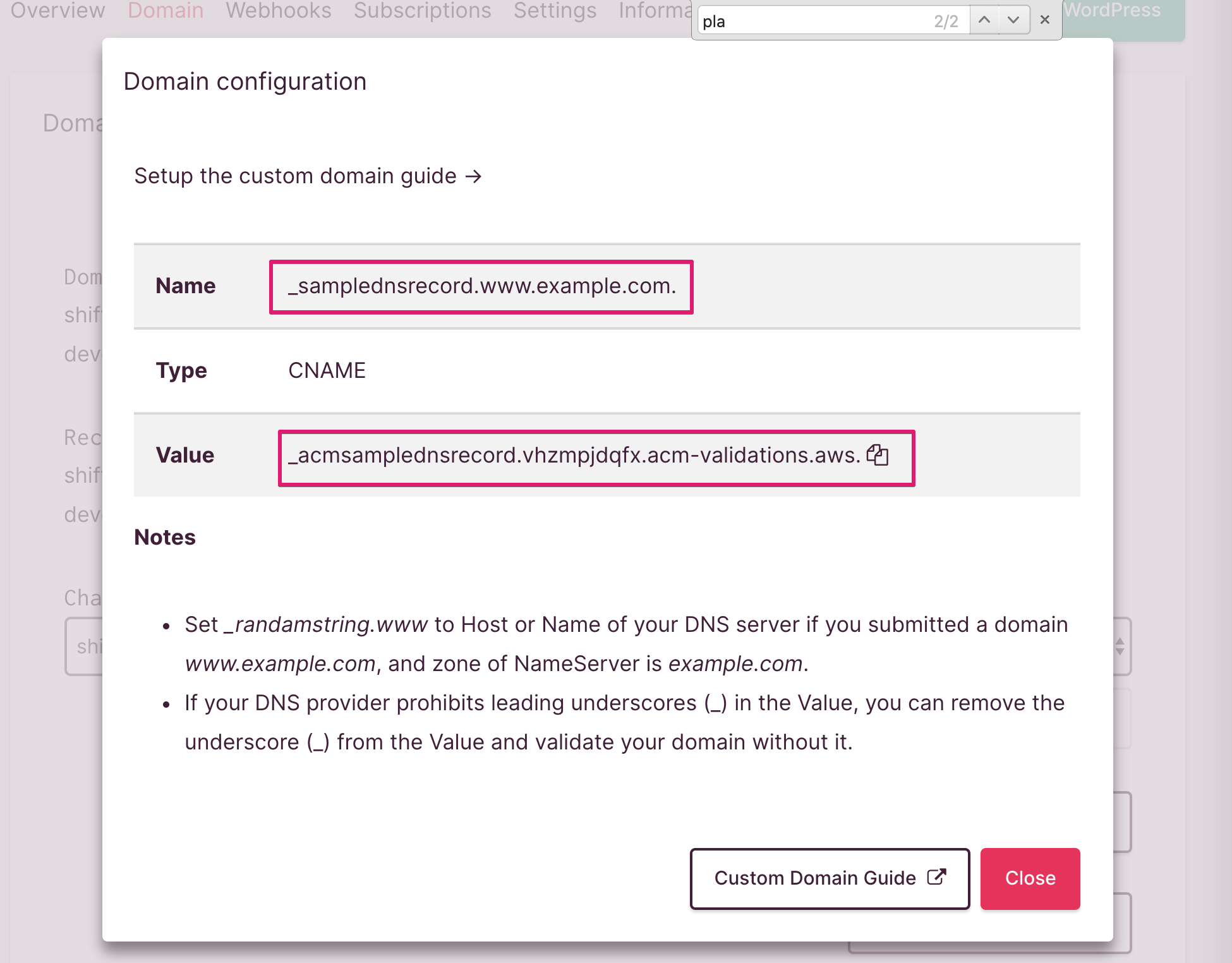
Copy both fields. Below is a sample verification record.
- Name:
_samplednsrecord.www.example.com. - Value:
_acmsamplednsrecord.vhzmpjdqfx.acm-validations.aws.
- Name:
Update the validation records
- Go to your DNS server’s control panel. Here, we’ll use AWS Route 53 as an example.
- Paste both records into the fields and edit the record set
- Click [Save Record Set] to save your changes
Checking the Domain Name Status
Verify that the domain name status has changed to “Verified.”
- Log in to the Shifter dashboard: https://go.getshifter.io/
- Go to the [Domains] page on the Shifter site
- Verify that the status is “Verified.” This may take some time.
That’s it!