
Some DNS providers support ALIAS records. A list of supported providers is available in this document. If you register an APEX domain (or root domain/naked domain—domains without prefixes such as “www” or “blog”) in Shifter, you can also enter or select the CDN’s Raw Hostname (e.g., def456.cloudfront.net) displayed on the Shifter dashboard.
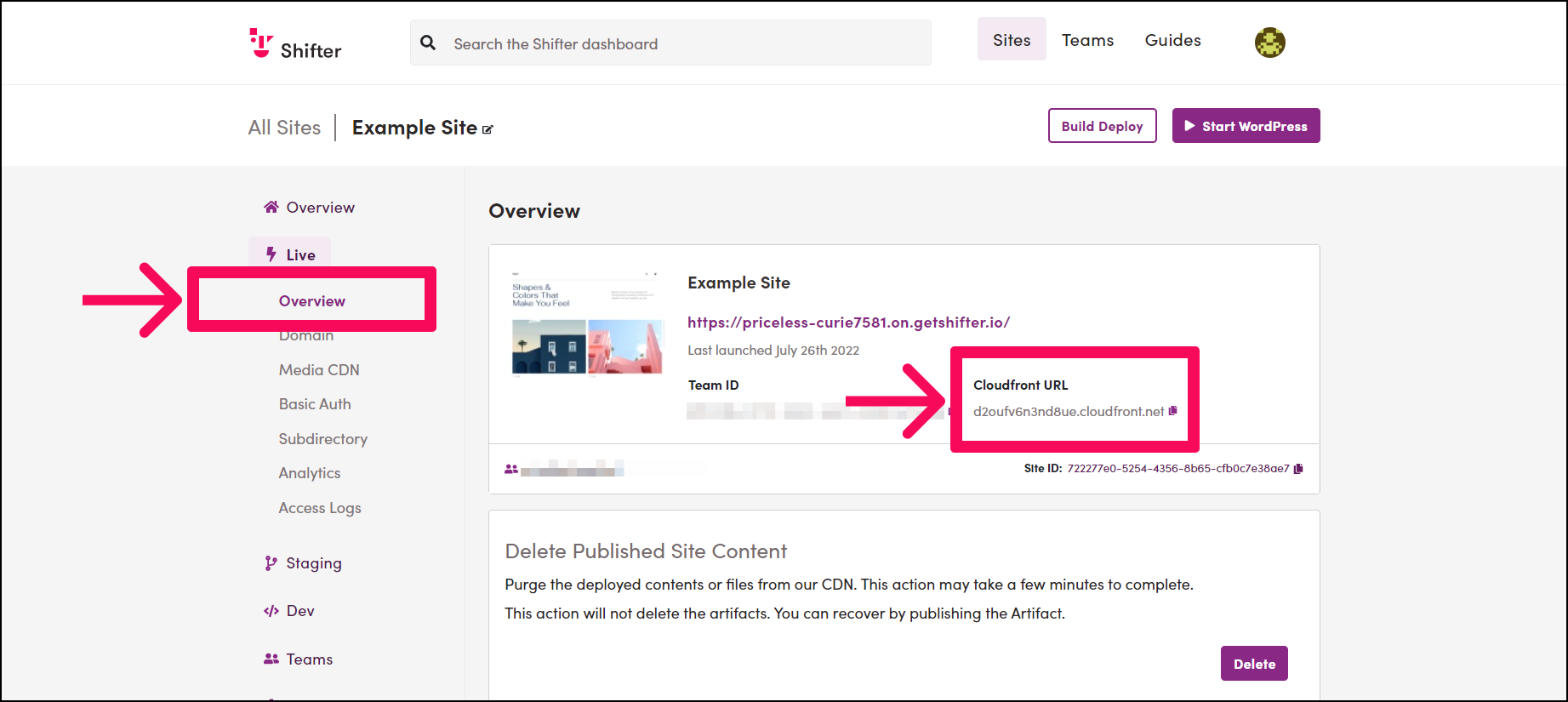
This article presents two examples of configuring ALIAS records on MuuMuu Domain. The CloudFront domain is displayed on the site overview page. Before accessing your DNS provider, copy the CloudFront domain value (in this example, def456.cloudfront.net) and paste it into Notepad, Evernote, or your favorite sticky note app.
Let’s get started.
MuuMuu Domain Settings
Note: This DNS provider requires you to use its own custom DNS servers. Please use them for your domain. For more details, please refer to this documentation.
Steps:
- Log in to the Control Panel
- Click [MuuMuu DNS]
- Search for and select your domain
- Click the drop-down menu under the [Type] menu
- Select [ALIAS]
- In the [Content] field, enter CDN Raw Hostname in the [Content] field. Then, click [Change Setup Information]. In this example, the value entered is def456.cloudfront.net for demonstration purposes.
- Click [OK]
- Verify that [Type] is set to ALIAS and that [Content] is set to CDN Raw Hostname (in this example, def456.cloudfront.net.cloudfront.net).
That’s it!