
Blocking Access by Search Engine Crawlers Note: This setting depends on whether the search engine allows this request.
Procedure
You can block access by search engine crawlers by following the steps below.
- Log in to the Shifter dashboard:
- Log in to the Shifter Dashboard. Launch WordPress and log in:
- Launch WordPress from the Shifter Dashboard and log in.
- Go to Display Settings: In the WordPress admin panel, go to
- [Display Settings]
- from the
[Settings]menu.Prevent Search Engines from Indexing:In the 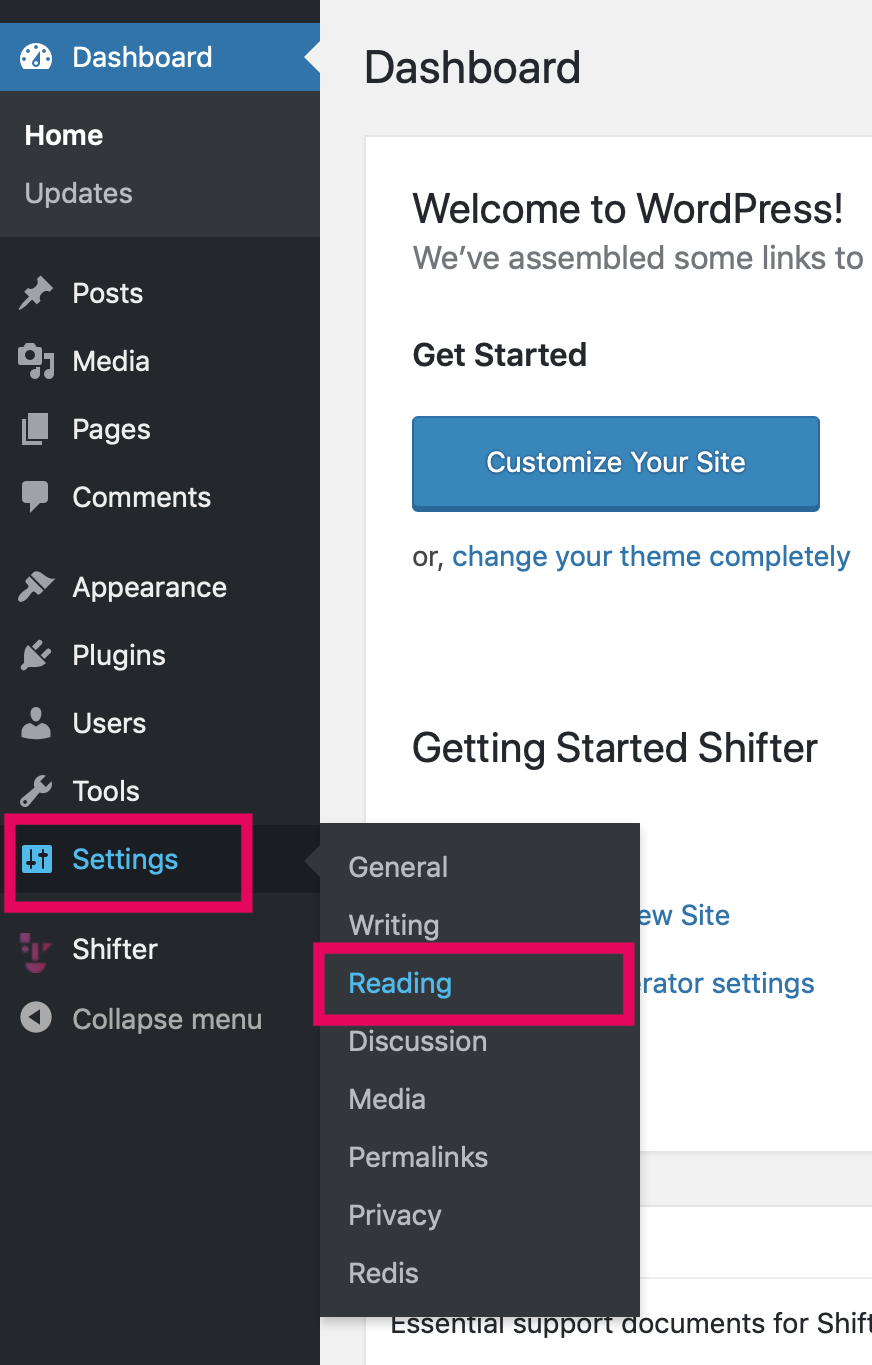
- from the
- [Search Engine Visibility] section,
enable[Prevent search engines from indexing this site].Stop WordPress, generate the artifact, and deploy:Stop WordPress, generate the artifact, and then deploy it.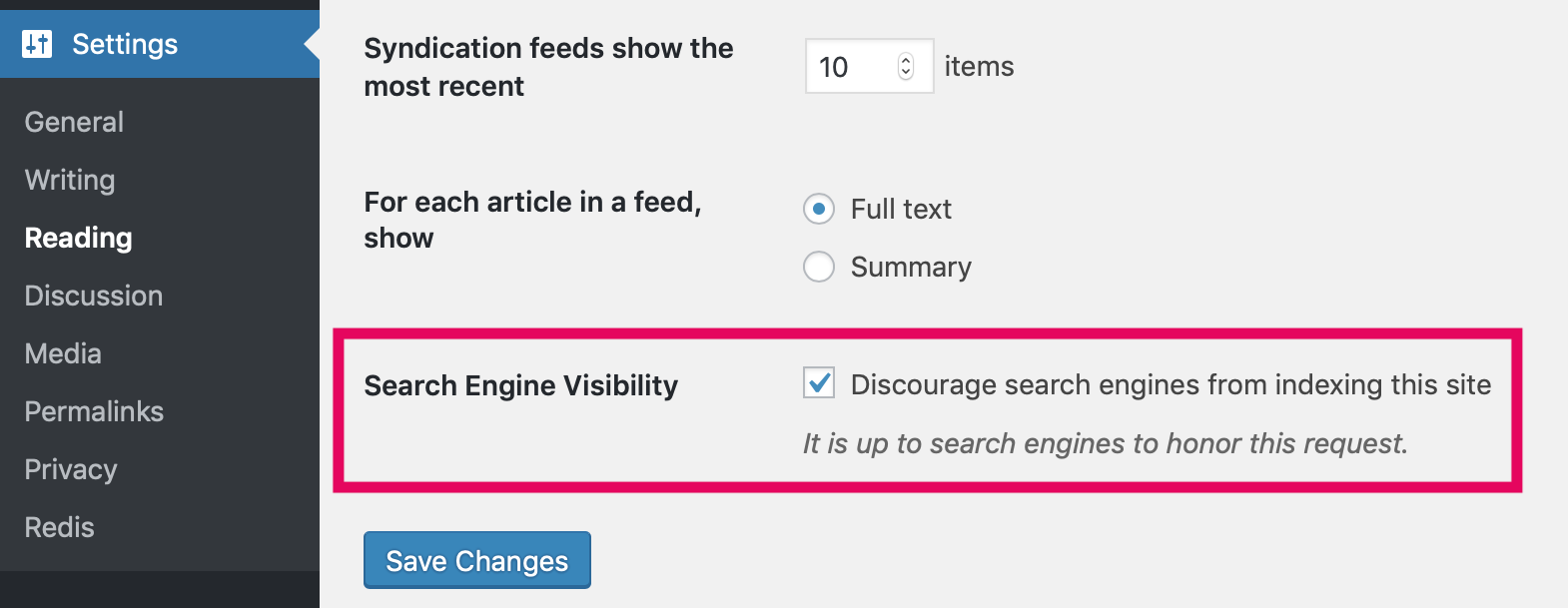
- Start WordPress from the Shifter dashboard and log in.
- In the WordPress admin panel, go to [Display Settings] from the

section,
enable [Prevent search engines from indexing the site]. Stop WordPress, generate an artifact, and then deploy it.
Important Note This will prevent search engine crawlers from accessing your site. If you want to allow crawler access, be sure to be sure to disable [Prevent search engines from indexing the site] before generating and deploying a new artifact with a custom domain name.