
About this article: This article is a dedicated branch for “Shifter Custom Domains” on Value Domain. Before following these steps, you must register your domain name with Shifter and obtain the domain verification record by following the instructions in “Shifter Custom Domains.”
Sample Domains and DNS Records
Example Domains:
example.comwww.example.com
Sample Records:
| Name | Type | Value |
|---|---|---|
_abcde.example.com |
CNAME | _01234.acm-validations.aws. |
_hijkl.www.example.com |
CNAME | _56789.acm-validations.aws. |
Value Configuring DNS Records in Domain
-
Go to the login page: https://www.value-domain.com/login.php
-
Go to [Domain Settings] from [Domain]
-
Click the [DNS/URL] button
-
Enter the validation records one line at a time. Make sure each value is separated by a space.
cname _abcde _01234.acm-validations.aws. cname _hijkl.www _56789.acm-validations.aws.
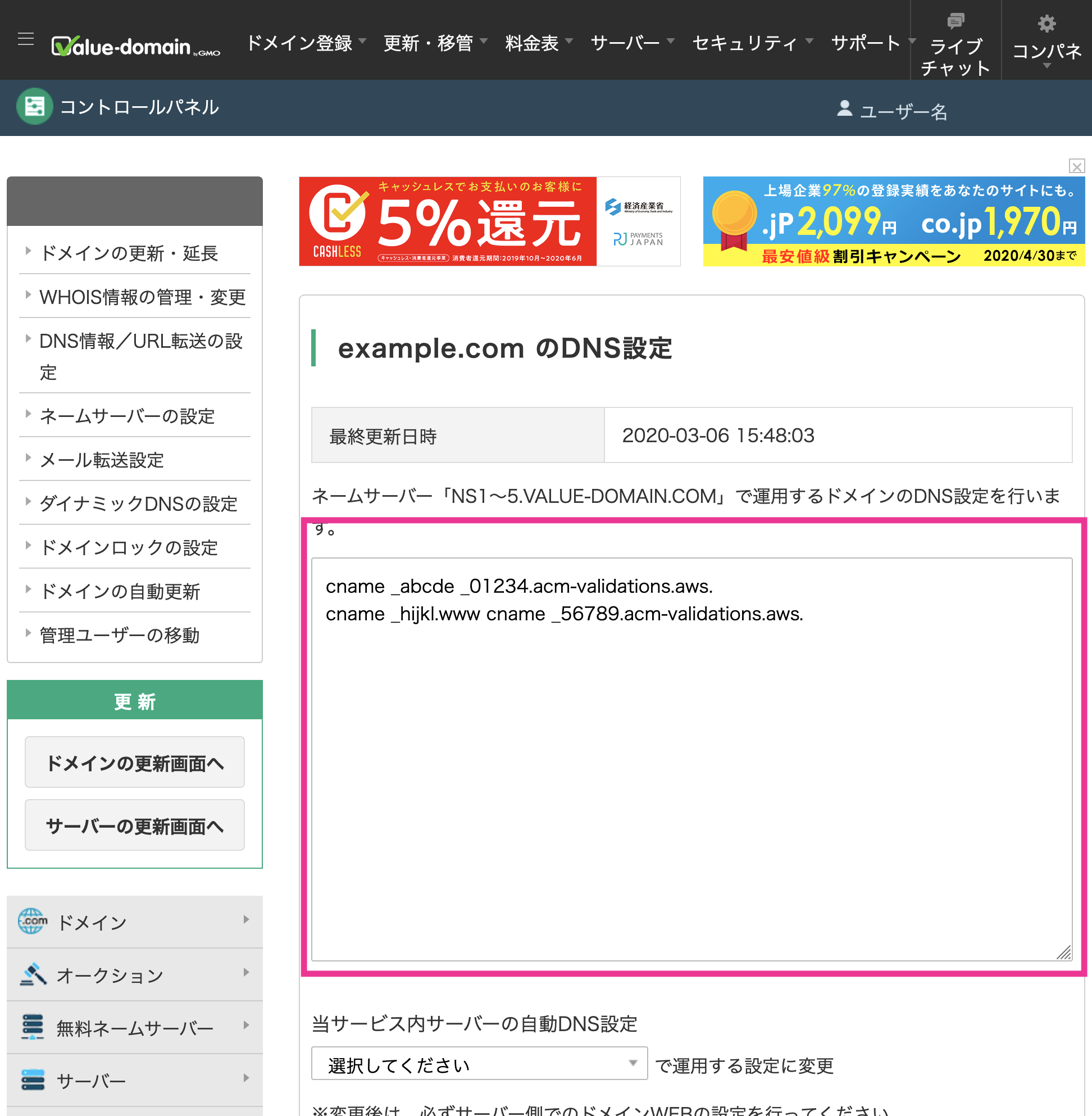
-
Click the [Save] button to save your changes.
-
Add ALIAS and CNAME records. Once domain verification is complete, configure the ALIAS and CNAME records for your domain name.
-
example.com(No subdomain):Add the following record to a new line:
cname @ def456.cloudfront.net. -
www.example.comFor (with the www subdomain):Add the following records on new lines:
cname www abc123.on.getshifter.io.or
cname www def456.cloudfront.net.
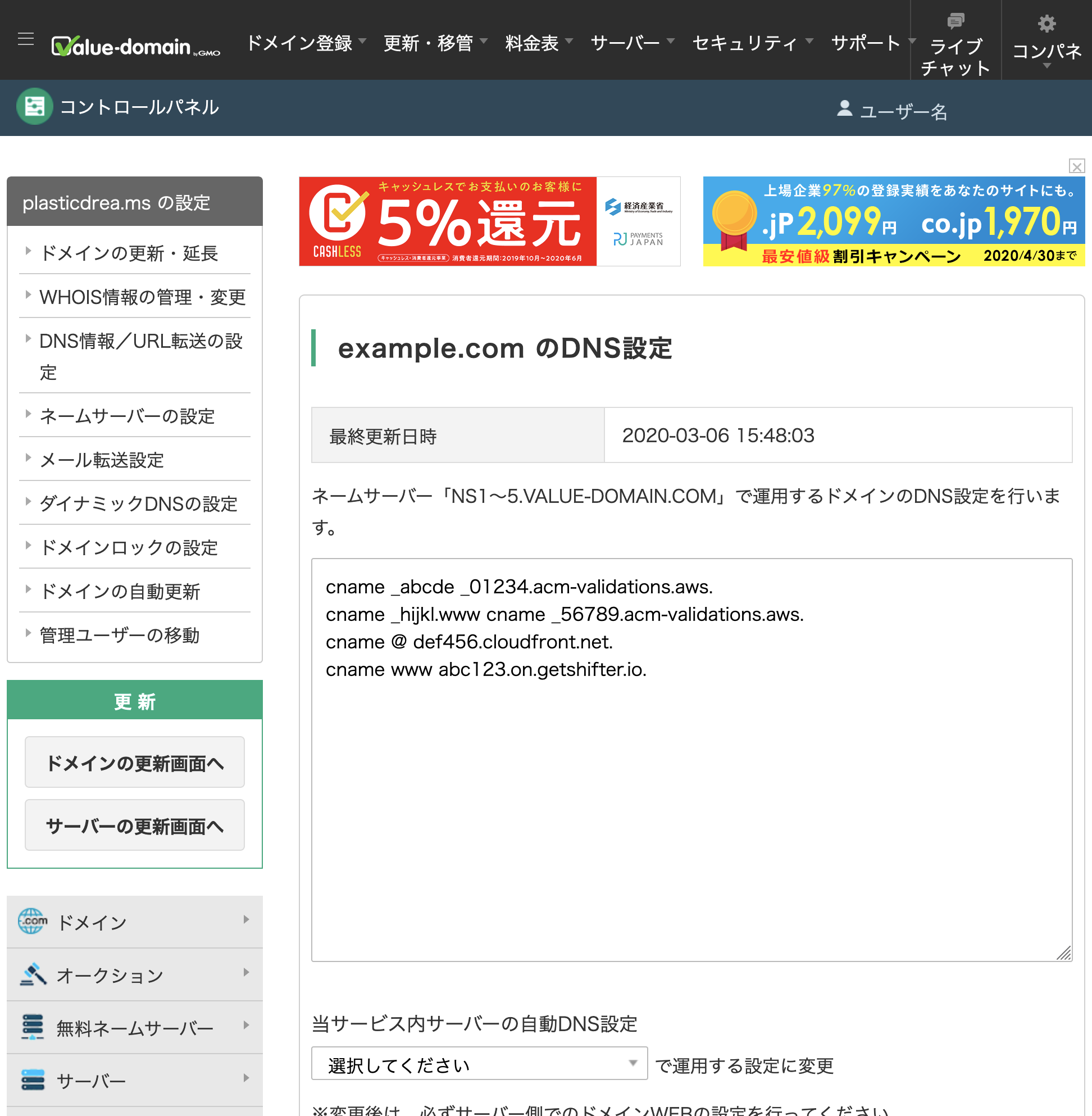
Note: Do not delete the verification code under any circumstances.
-
-
Click the [Save] button to save your changes.
That’s it!