
Follow the steps below to upgrade or change your Shifter subscription.
Log in to the Shifter Dashboard:
https://go.getshifter.ioGo to “Billings”:
After logging in to the dashboard, go to the “Billings” section.Check your current plan:
Your current subscription plan is displayed. Example: Tier 1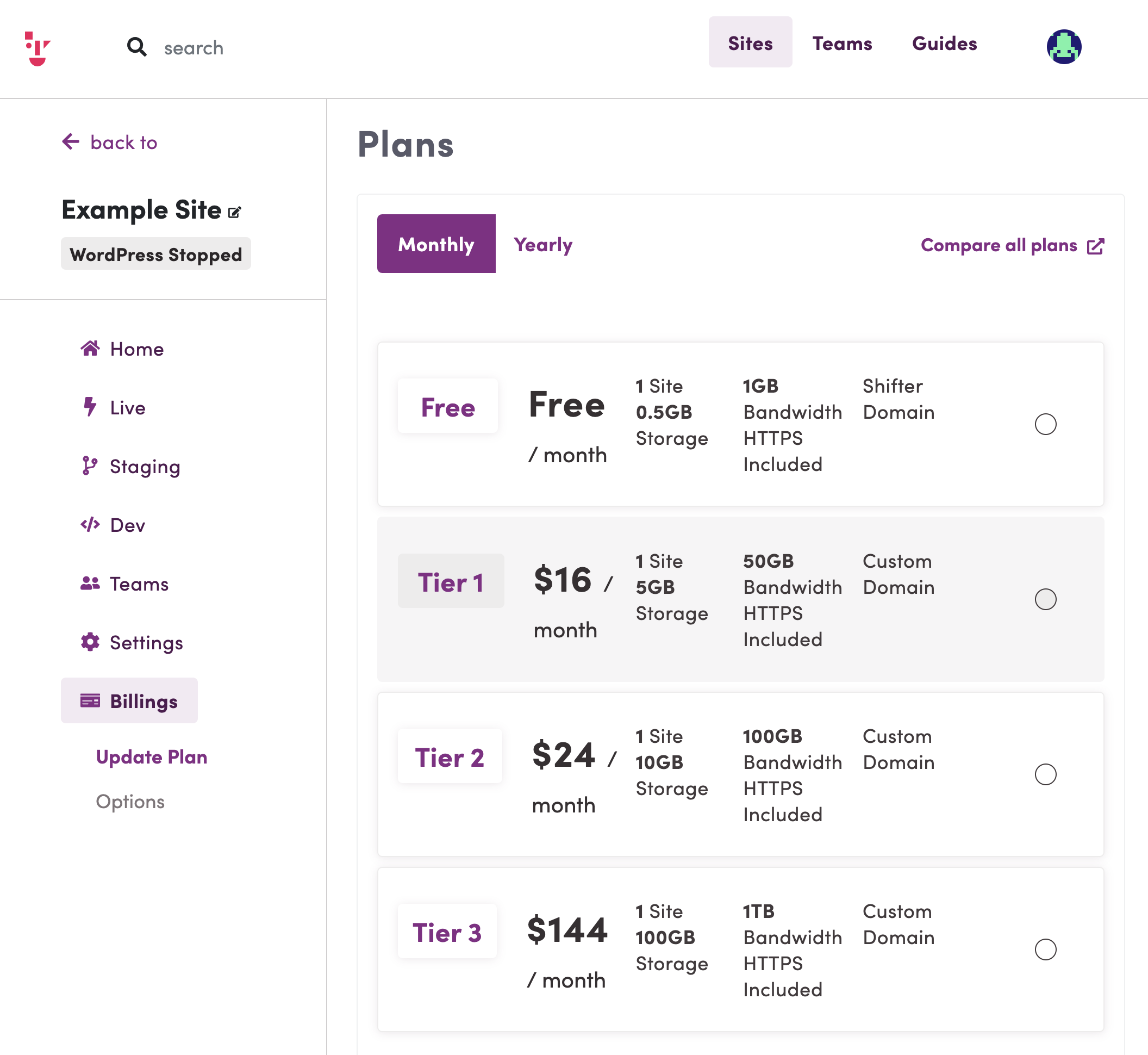
- Select the desired plan:
Select the plan you want to upgrade to or change to, then click [Checkout]. - Change Your Subscription Cycle (Optional):
On the [Checkout] page, you can change your subscription cycle from monthly to annual, or vice versa. Done:
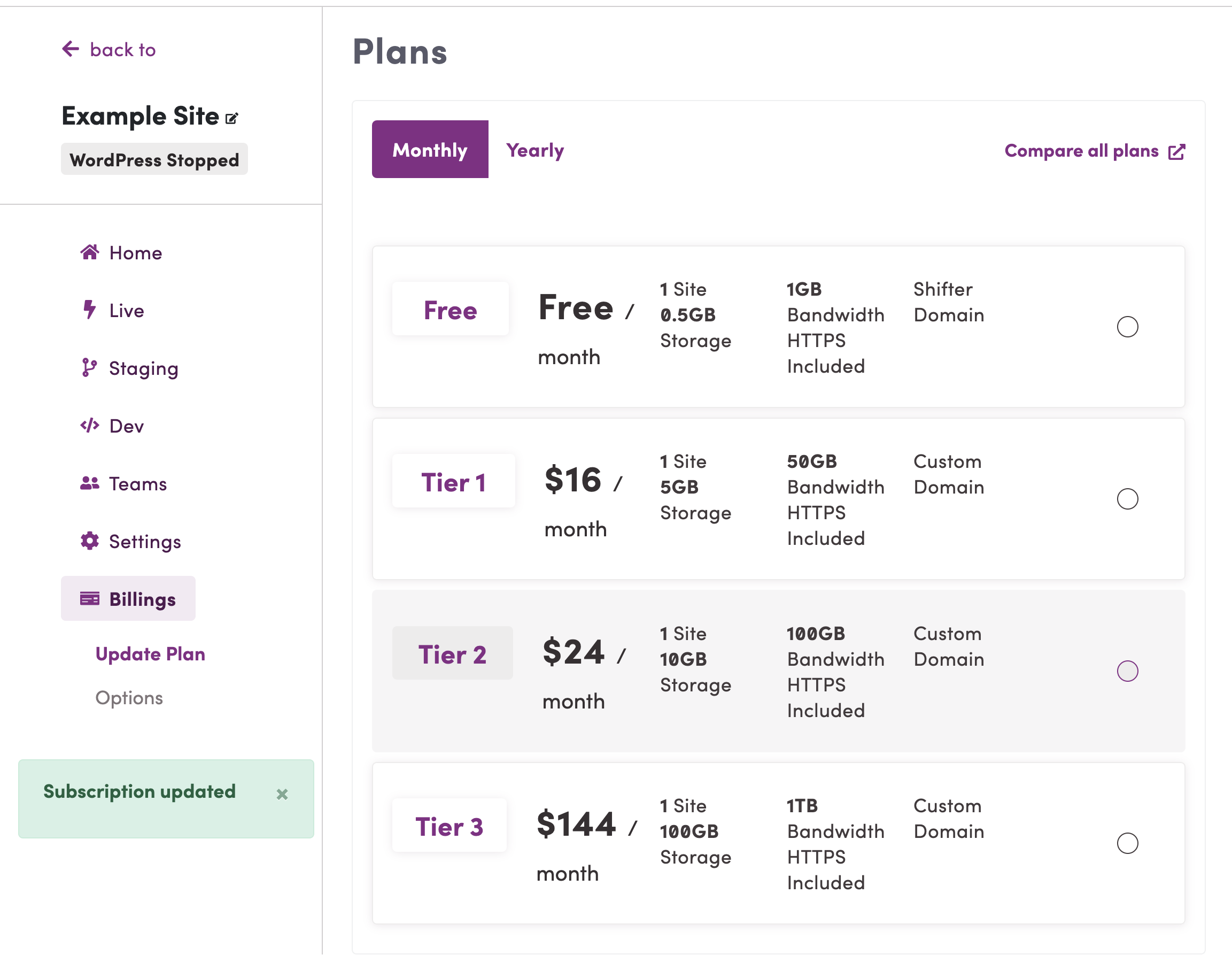
You have successfully subscribed to Tier 2.(Example)
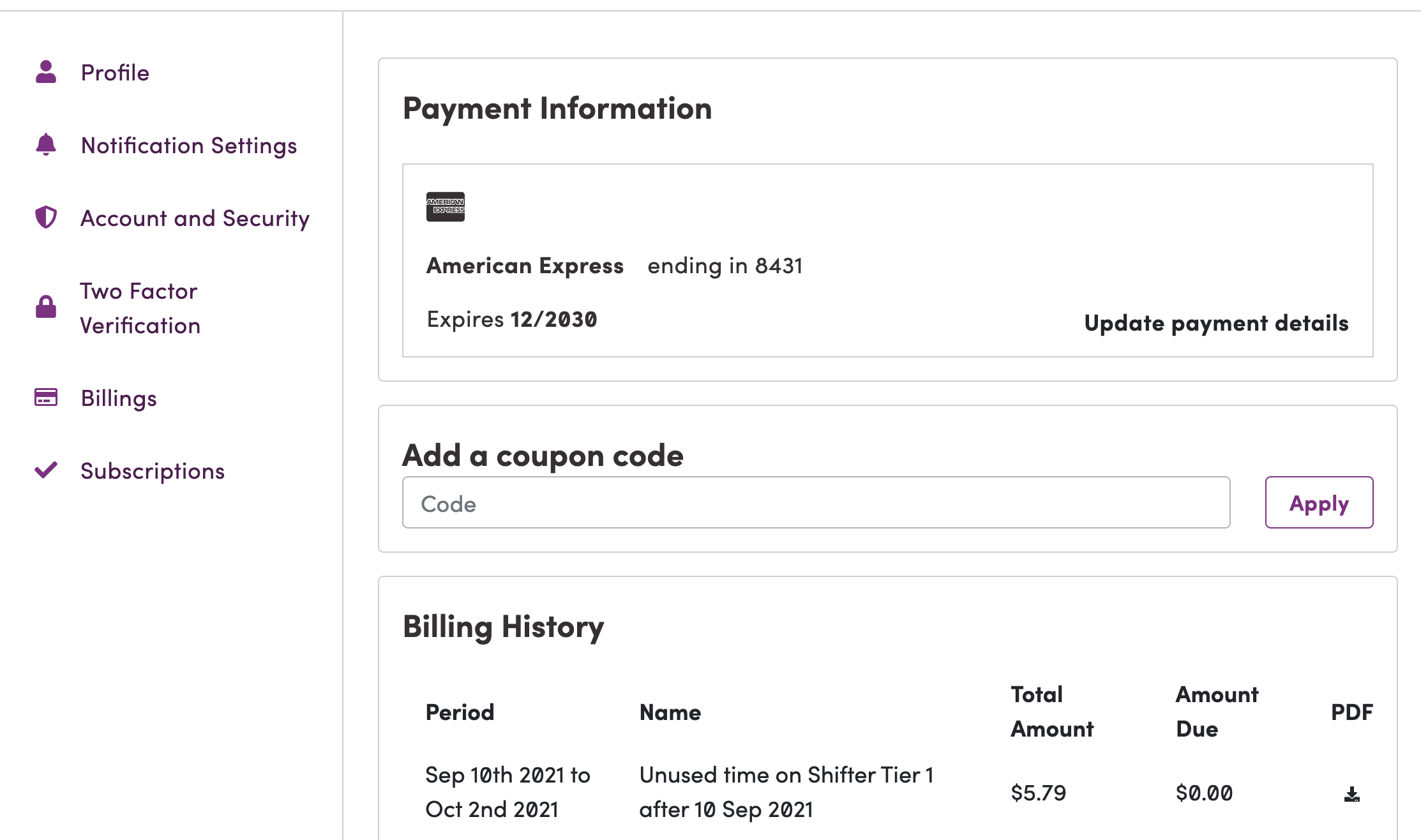
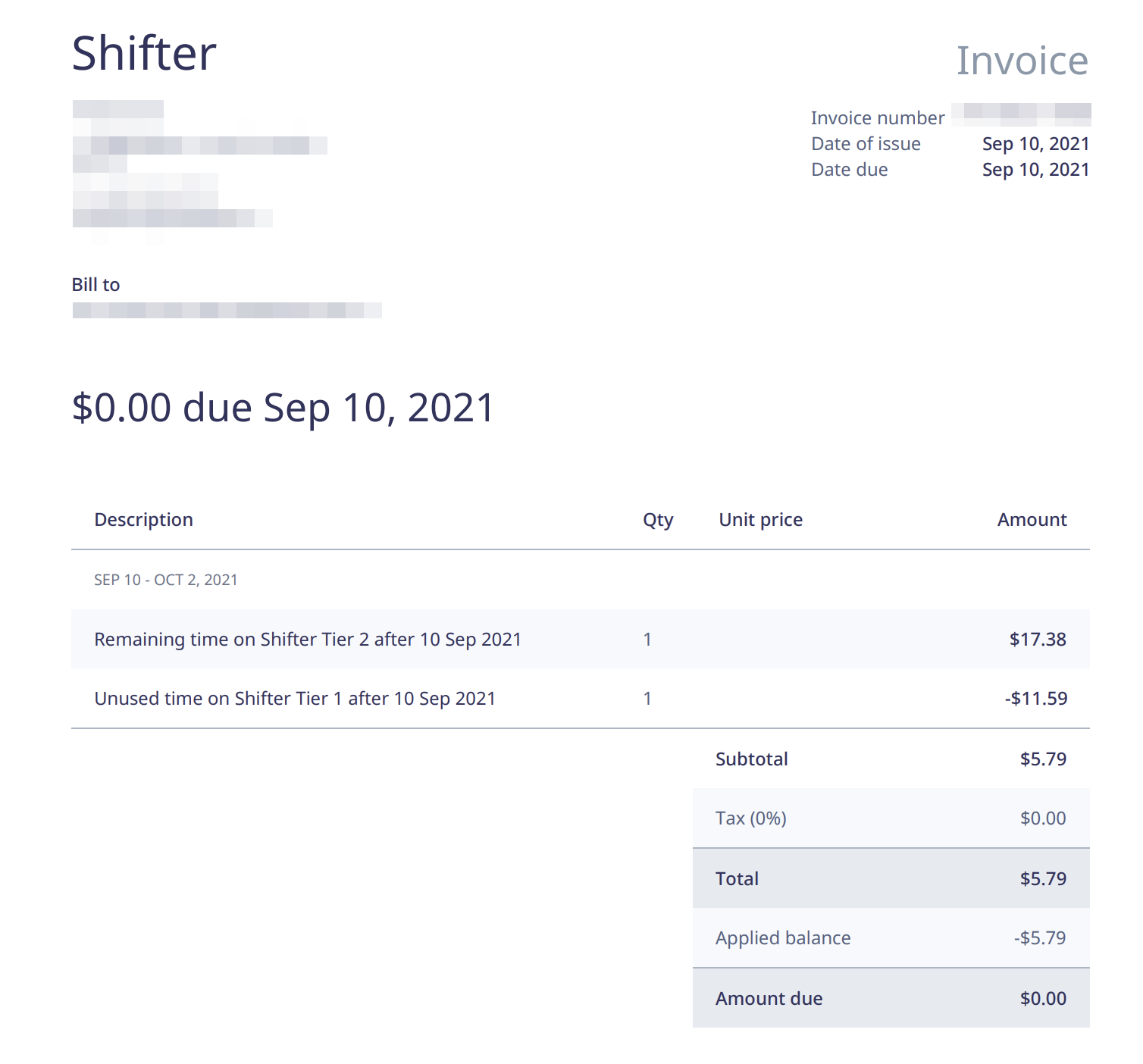
View billing history and receipts:
That’s it.