
Here are a few tips for using Shifter to manage your time and deploy more quickly.
Tip 1: Check Your Shifter Site Settings
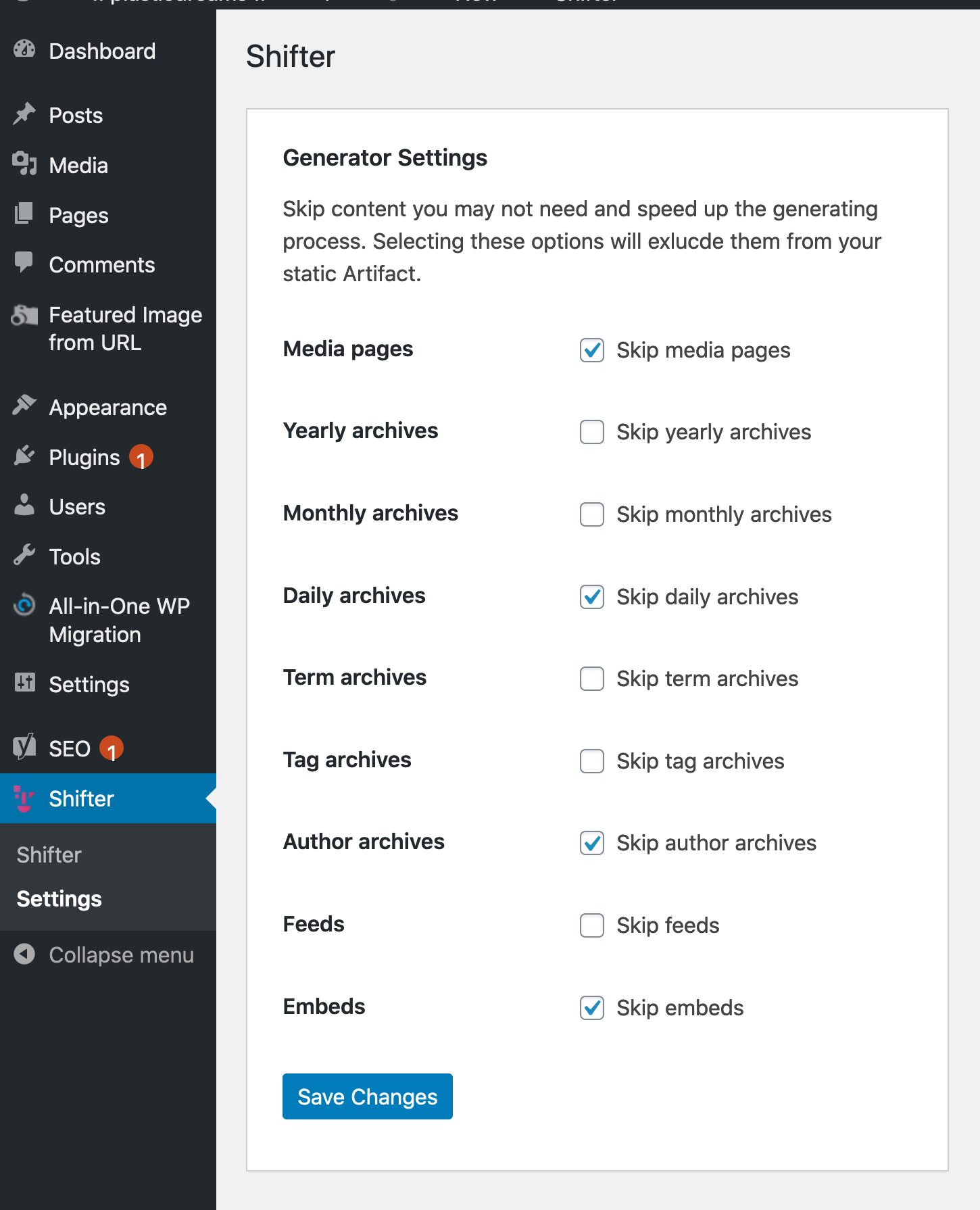
Every WordPress site running on Shifter includes a mu-plugin that controls which content is included in the site’s static version.
Let me explain a bit of the background behind why we built this. By default, WordPress creates a lot of content you might not be familiar with. This includes posts sorted by author, date, month, and year, as well as pages for each item in the media library, and more. The list goes on and on. Every time you create a post or upload an image, you could be adding 10 or more pages to your site.
During the generation process, each of these pages is indexed, and Shifter creates a static version of them. For example, if you upload 1,000 media files, there will also be 1,000 additional pages created and indexed. This isn’t necessarily a good or bad thing—it’s just how WordPress works. If you need these pages for any reason, they’re ready and waiting. If you’re unaware that these pages exist—or if you don’t need them at all—disabling them in the Shifter Site Settings plugin can save you a significant amount of build time.
Recently, I helped The Burning Monk—my first featured site—save over 50% on build time by adjusting their Shifter site settings. To try this yourself, go to the [Site Settings] tab in your WordPress admin dashboard and check for anything you don’t need.
Tip 2: Disable incompatible (or unnecessary) WordPress plugins while using Shifter
There are many WordPress plugins that Shifter does not support or that are unnecessary. For a complete list, please refer to the documentation on this topic.
For example, Shifter supports security plugins such as WordFence and iThemes. Typical vulnerabilities and exploits that occur in WordPress do not affect static WordPress sites created with Shifter. Since WordPress is visible only to you and runs only when necessary, it cannot be hacked. Additionally, these plugins may include DDoS protection or WAF services, which Shifter also supports at no additional cost. All of this is included at no additional cost.
The other plugins you’ll want to replace or disable are those that rely on dynamic PHP functions to run. This includes calendar plugins such as Events Calendar Pro, WooCommerce, and membership plugins.
During the build process, Shifter will disable any plugins that are unsupported or known to cause issues.By completely removing these plugins before generating your site, you can save Shifter the time it would take to check for and disable them.
Please send us your feedback!
The tips featured in our support documentation are the result of direct feedback from our customers and help us improve Shifter. Whether it’s fine-tuning the generation process or creating new plugins to extend the functionality of other plugins, Shifter is fully committed to this effort.